AI & Automation
How to Use a Custom GPT to Simplify ISP Compliance (FCC, BEAD, SLA)
Learn how ISPs can use custom GPTs to automate FCC compliance, manage reporting deadlines, and protect data privacy with secure AI deployment.
Taneil Currie, Former Senior Manager, Growth Marketing
August 27, 2025 · 6 MIN · UPD JUL 22, 2026
A custom GPT helps ISPs simplify compliance by acting as a secure, always-available assistant that tracks FCC filing deadlines, drafts reporting checklists, and interprets regulatory changes using your own documents. It complements your compliance team rather than replacing it, and works for FCC, , and SLA obligations alike.
Compliance is one of the most resource-intensive challenges broadband providers face. Between FCC filings, BEAD funding requirements, and SLA obligations, staying on top of deadlines and documentation can easily consume teams that are already stretched thin.
But there's a new tool ISPs can use to streamline compliance work: a custom GPT.
By building a GPT trained on your organization's compliance data, regulatory documents, and internal workflows, you can give your team a secure, always-available assistant to help manage reporting, track deadlines, and interpret policy changes - without the risk of missing something important.
Why ISPs Should Use a Custom GPT for Compliance
A custom GPT doesn't replace your compliance team. It complements them by helping:
Track and summarize regulatory changes
Draft reminders or checklists for key FCC filings (BDC, ETRS, HUBB, etc.)
Flag SLA reporting requirements
Format reports or responses based on templates
Answer common internal questions about compliance
And because you control the inputs and access, it's a powerful, private resource that reflects your regulatory environment, not generic web results.
How to Build and Use a Compliance GPT for Your ISP
1. Define the Compliance Use Cases
Start by identifying the most repetitive or error-prone compliance tasks on your team. Some examples might include:
Tracking FCC reporting deadlines (BDC, HUBB, ETRS, etc.)
Formatting and checking reports for completeness
Interpreting changes in compliance requirements
Creating reminders for SLA breaches or funding obligations
Answering internal compliance-related questions
Your GPT doesn't need to do everything - just the things that take your team the most time or result in the most friction.
2. Upload the Right Compliance Data
The more accurate and specific your data, the better your custom GPT will perform. Recommended inputs might include:
Internal compliance SOPs
Recent FCC filings and submission templates
SLA documents and contract terms
A timeline of annual reporting obligations
BEAD guidelines and application materials
Links to the FCC's public data and documentation
You can also upload previous reporting examples, common internal questions, or FAQs from your regulatory team. Ensure files are up to date and organized. The GPT will use this as its knowledge base.
3. Set Clear Instructions
Custom GPTs work best when you give them a defined role. When setting up yours, include guidance like:
"You are a compliance assistant for a broadband provider. Use the uploaded documents to help users understand deadlines, create reports, and respond to internal compliance questions."
You can even restrict it to just answering based on uploaded content, keeping responses focused, accurate, and legally sound. You can also prevent it from using outside data sources by restricting its access to only the files you upload.
4. Start Using It for Real FCC and BEAD Tasks
Once configured, your GPT can help with:
"Summarize what's changed in the 2025 reporting guidelines."
"Create a checklist for this year's HUBB and ETRS deadlines."
"Draft an internal email reminder about upcoming SLA reporting."
"What does the February 2025 DIRS update require from ISPs?"
"Help format our quarterly BEAD compliance update."
This removes the need to dig through PDFs, emails, and outdated spreadsheets just to stay on track.
5. Review, Refine, Repeat
Just like any process, your GPT will improve over time. Encourage your team to use it actively, then collect feedback on:
Where it was helpful
Where it missed the mark
What new documents or prompts should be added
You can continually upload new content (like FCC updates or training decks) to keep your GPT aligned with the latest requirements.
Keeping Your Data Secure: What ISPs Need to Know
Custom GPTs are powerful, but they must be deployed responsibly. Here's how to make sure your use of AI aligns with your data security and regulatory obligations.
Free vs Paid ChatGPT: Know the Difference
Free ChatGPT (web-based, non-enterprise)
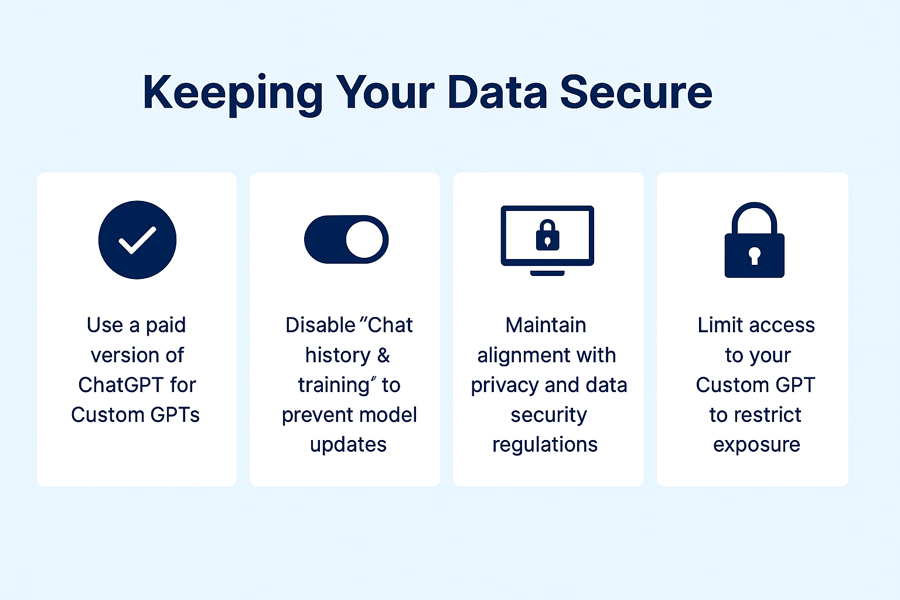
By default, OpenAI may use inputs from free ChatGPT users to improve its models. That means data entered is not fully private, even if you're not uploading anything obviously sensitive.
ChatGPT Team, Enterprise, or API Access
These paid versions offer data privacy controls designed for businesses:
Inputs are not used to train future models
Data is stored more securely
Admins have access to workspace controls
For any compliance- or customer-related use, avoid using the free/public version. Choose a Team or Enterprise license or work directly with the OpenAI API or approved GPT builder partners.
Data Controls
If you're using the API or ChatGPT Team/Enterprise, make sure data logging is turned off. You can configure this via:
ChatGPT Settings → Data Controls → Uncheck "Chat history & training"
This ensures your prompts, documents, and responses are not stored or used to train future models.
For organizations, use admin controls to enforce this at the workspace level.
Set Clear Internal Boundaries
Make sure your team understands what can and cannot be shared with GPT tools, even private ones:
✅ Okay to include:
Internal process documentation
Public FCC or regulatory documents
Anonymized templates or checklists
🚫 Never upload:
Customer personally identifiable information (PII)
Proprietary network configurations or IP address assignments
BEAD application forms with identifiable metadata
Login credentials or database exports
Provide a simple internal policy or "GPT Usage Guidelines" to avoid missteps.
Restrict Access to Internal Teams
If you're deploying a custom GPT:
Keep it in a private environment (e.g., ChatGPT Teams, a secure OpenAI API app, or integrated into your internal systems)
Use SSO or access permissions to ensure only authorized users can query it
Set role-based permissions if it handles sensitive compliance info
Document What the GPT Can and Can't Do
To reduce the risk of employees treating the GPT as an authoritative source on evolving regulations:
Add clear system messages or prompt wrappers (e.g., "This GPT summarizes content from FCC sources. Always verify against official rules.")
Encourage human review for any regulatory or customer-facing output
Why This Matters
As an ISP, you're likely handling:
FCC-mandated filings
BEAD-related reporting
Subscriber usage records
SLAs tied to funding or business contracts
Even if you don't think the GPT is handling customer data, it's still touching operationally sensitive information. Taking these precautions ensures you stay compliant while using AI responsibly.
Final Thoughts
A custom GPT gives ISPs a smarter way to handle compliance. It helps reduce errors, free up your team from repetitive work, and ensure you never miss a key filing or obligation.
Used responsibly, it becomes a quiet force multiplier in your organization.
Frequently Asked Questions
Can a custom GPT replace my ISP compliance team?
No. A custom GPT complements your compliance team by tracking deadlines, drafting checklists, formatting reports, and answering internal questions - but humans should review any regulatory or customer-facing output.
Which FCC filings can a compliance GPT help with?
It can help track and prepare for filings such as BDC, ETRS, and HUBB, as well as BEAD funding reporting and SLA obligations, using your uploaded templates and timelines.
Is free ChatGPT safe for compliance work?
No. Free, non-enterprise ChatGPT may use your inputs to train models. For compliance or customer-related work, use ChatGPT Team, Enterprise, or the OpenAI API and disable chat history and training.
Want a ready-to-use version of this checklist?
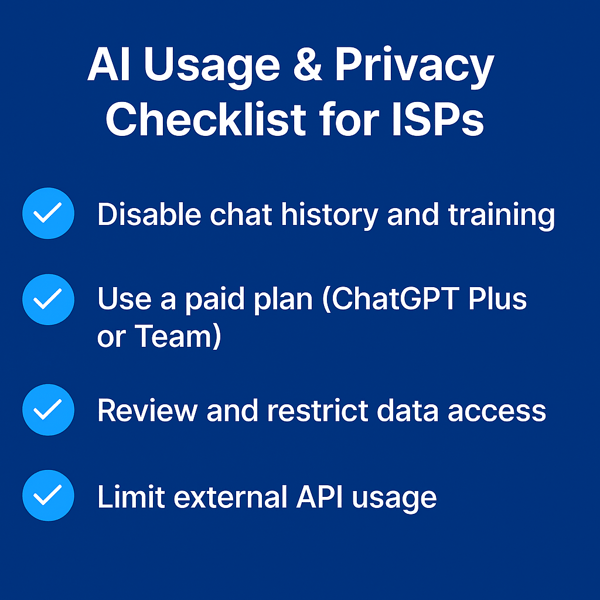
Download the AI Usage & Privacy Checklist for ISPs and share it with your compliance, IT, or operations teams.
Questions, answered.
How can an ISP use a custom GPT to simplify FCC and BEAD compliance?
A custom GPT trained on an ISP's own compliance data can track deadlines, draft filing checklists, and interpret policy changes. It supports FCC filings such as BDC, ETRS, and HUBB, along with BEAD funding and SLA reporting obligations, without replacing the compliance team.
What data should an ISP upload to train a compliance GPT?
An ISP should upload its own compliance documentation so the GPT can track deadlines, draft filing checklists, and interpret policy changes. Restricting the GPT to those uploaded files keeps its answers grounded in the ISP's own materials.
Is free ChatGPT safe for ISP compliance work?
Free, non-enterprise ChatGPT may use inputs to train models, so it is not a safe choice for compliance work. ISPs should use ChatGPT Team, Enterprise, or the OpenAI API instead.
What customer or network data should never be uploaded to a GPT?
ISPs should never upload customer PII, network configurations, IP address assignments, BEAD application metadata, or credentials to a GPT. Disabling chat history and training also keeps prompts and documents out of future model training.
See it on the platform
20 minutes wired to your operation.
An ISP-only specialist walks Sonar through your specific use case. No generic deck, no horizontal SaaS pitch.
Book a meeting