Product
New Feature: Redesigned Sonar Main Menu for Faster ISP Navigation
Discover Sonar’s redesigned menu for better navigation, organization, and usability. Enjoy a streamlined experience with customizable views & improved access!
Rick Seemann, VP, Product Management
March 12, 2025 · 1 MIN · UPD JUN 16, 2026
March 12th, 2025
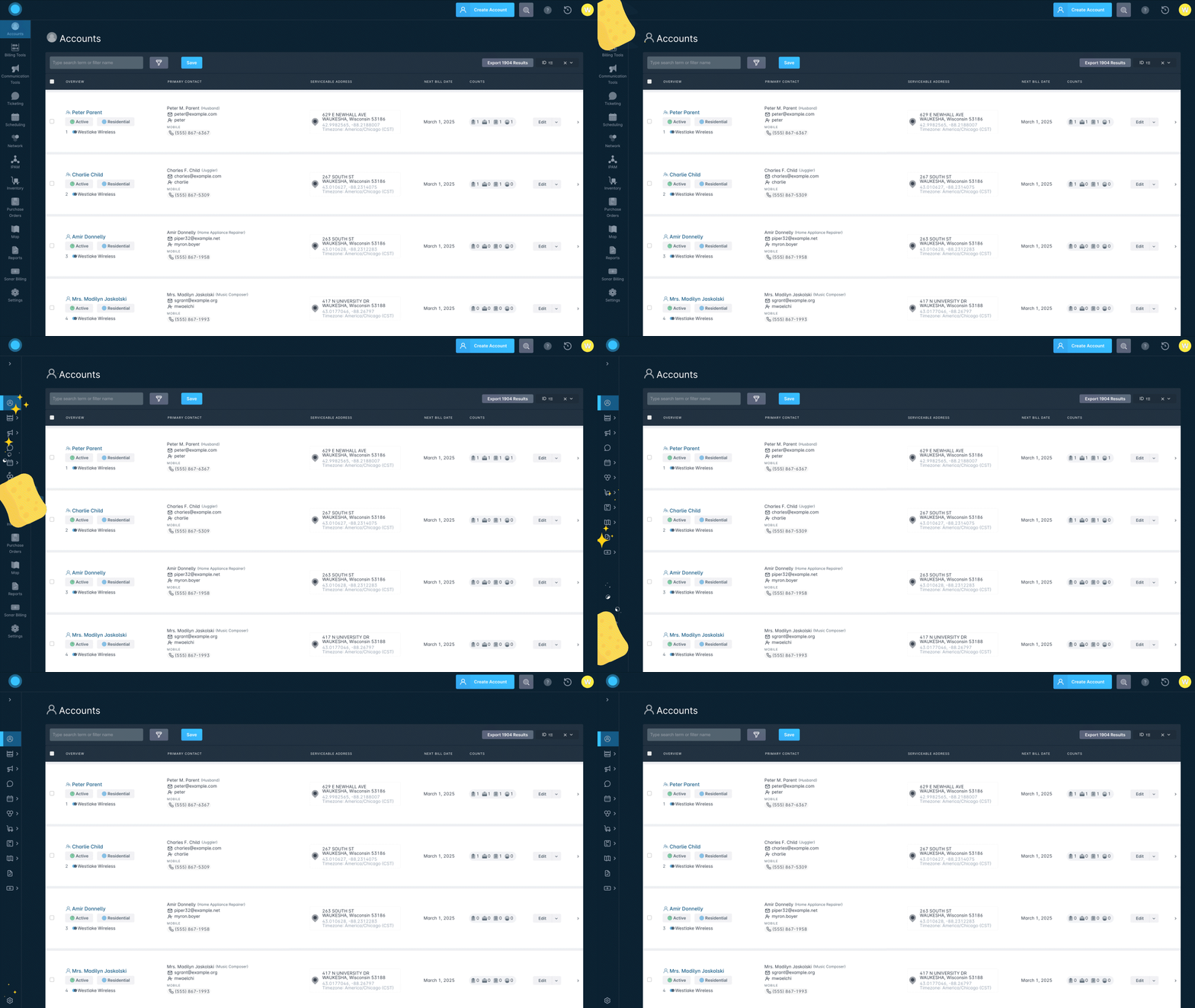
We have redesigned the Sonar main menu to improve navigation, organization, and usability for ISP teams. You can now collapse the menu to an icon-only view or expand it for full item names, with Network and combined and Location Tools grouping mapping features in one place.
What's new in the Sonar main menu:
Customizable menu size - Collapse for an icon-only view or expand for full item names. Your preference persists until changed.
Streamlined navigation - Network and IPAM are now combined, and Communications, Billing, Inventory, and Scheduling use sub-tabs for quicker access with fewer clicks.
Better organization - Serviceable Addresses and the Vetro integration are now under Location Tools, alongside Maps.
Improved mobile experience - The menu now expands vertically for easier navigation on smaller screens.
These updates are live now. Log in to check them out. For more details, visit our knowledge base: Sonar main menu overview
Have questions?
We are here to help. Please don't hesitate to contact your Account Manager or our Support team.
Support Phone (CA): 780.900.1180
Support Phone (US): 702.447.1247
Support Email: support@sonar.software
Questions, answered.
What changed in Sonar's updated main menu?
Sonar redesigned its main menu to improve navigation, organization, and usability for ISP operators. Network and IPAM are now combined, and Communications, Billing, Inventory, and Scheduling use sub-tabs for quicker access with fewer clicks.
How do you collapse or expand the Sonar menu?
The Sonar menu can be collapsed to an icon-only view or expanded to show full item names. Your preference persists until you change it.
Where did Network and IPAM move in the new Sonar menu?
Network and IPAM are now combined in the redesigned Sonar menu. This grouping is part of the changes meant to improve organization and reduce clicks.
Where are Serviceable Addresses and the Vetro integration located now?
Serviceable Addresses and the Vetro integration now sit under Location Tools, alongside Maps.
See it on the platform
20 minutes wired to your operation.
An ISP-only specialist walks Sonar through your specific use case. No generic deck, no horizontal SaaS pitch.
Book a meetingWritten by
Rick SeemannVP, Product Management
Rick Seemann is VP of Product Management at Sonar Software. He covers new features, product releases, and how the platform keeps ISPs BEAD-compliant.
All posts by Rick Seemann