
Product
Consuming the Sonar GraphQL API: Build an External App in PHP
Using the Sonar GraphQL API in an external application is pretty simple. It’s served over HTTPS, and the only HTTP verb you need to use is POST.
September 28, 2020 · 5 MIN · UPD JUN 16, 2026
To consume the Sonar GraphQL API from an external application, send an HTTPS POST request to `/api/graphql` at your Sonar URL with an `Authorization: Bearer` token, then submit your query as JSON. That is all it takes - any language that can make an HTTP request and parse JSON will work.
In the first three articles in this series, I walked you through how to use the API using GraphiQL, a web based tool included in Sonar. Now let's build a very simple application so we can consume the API externally.
Using the Sonar GraphQL API in an external application is pretty simple. It's served over HTTPS, and the only HTTP verb you need to use is POST. GraphQL is a different paradigm to something like REST, where the HTTP verb dictates the behavior. In GraphQL, a query always fetches data and a mutation always manipulates data. As a query and a mutation can both take input data, we use a POST to submit to the server, and receive JSON in response.
Starting our PHP app
I'm going to build this in PHP, but the concepts are applicable to almost any language. All you need is a way to make a HTTP request, and the ability to parse JSON. I'm going to use Guzzle as my HTTP client in this case.
First, let's install Composer, the de-facto package manager for PHP. Next, I'm going to setup my simple app by typing composer init.
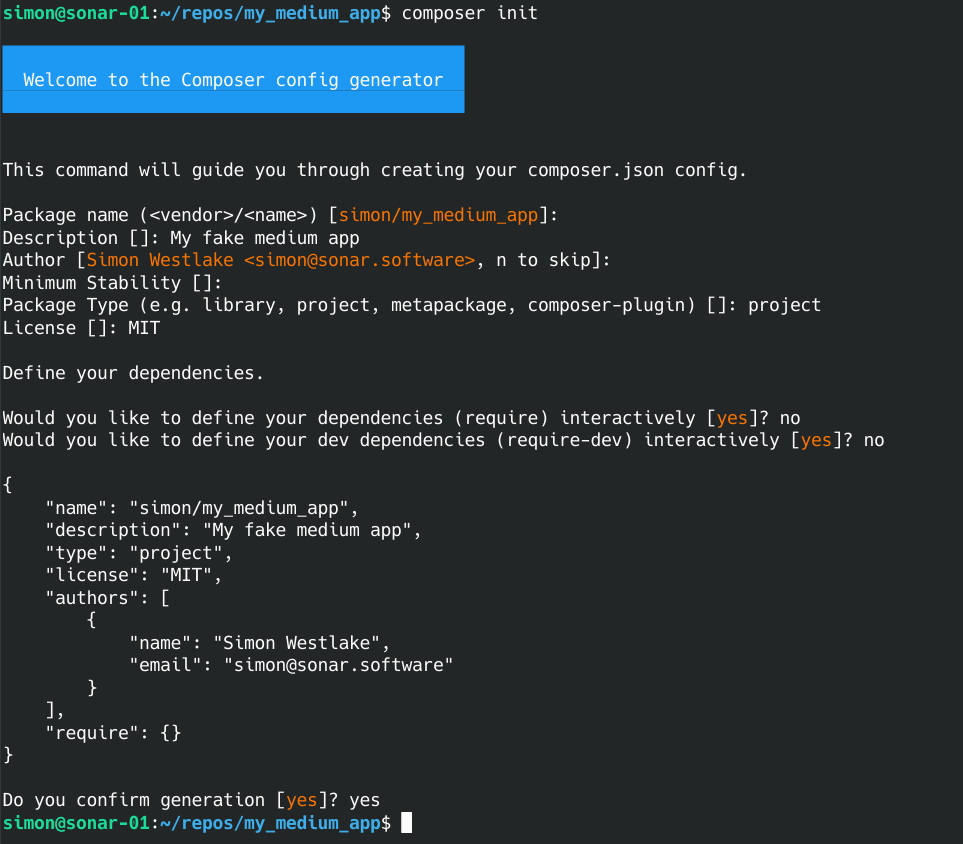
Now I can add Guzzle as a dependency by typing composer require guzzlehttp/guzzle.
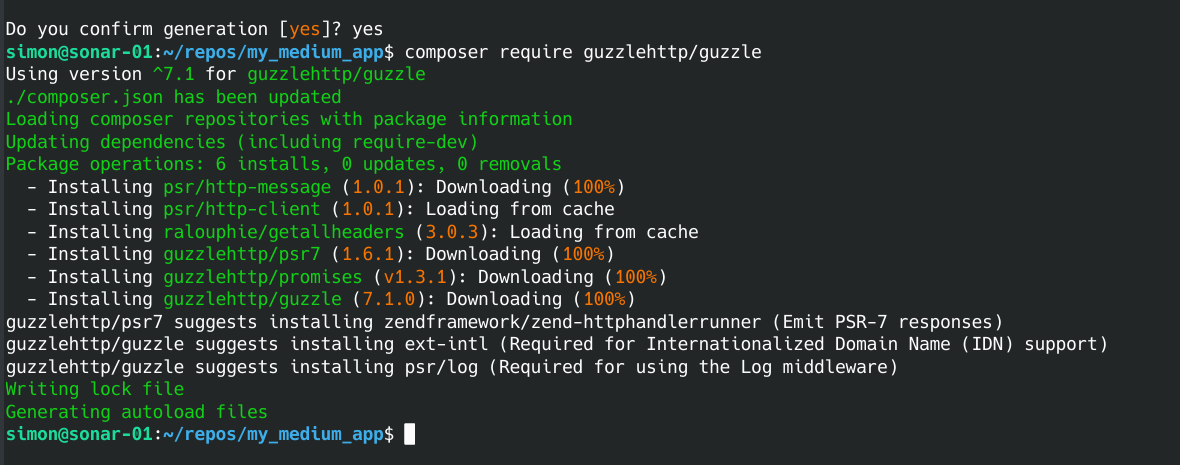
Now I'm going to create a single PHP file called medium.php to act as my app. In this file, I'm going to include the Composer autoloader to automatically load any packages I install. I'll also add a temporary echo statement so I can make sure it works.
Copy to Clipboard <?php require(__DIR__ . '/vendor/autoload.php'); echo 'Hello Medium!';
Now let's test it out in my shell by typing php medium.php.

Alright, great - my file executes at least. Let's move onto actually making an API request.
Generating a token and calling the Sonar API
In order to access the API, you need an access token. The access token must be generated inside Sonar, so log in to your instance and navigate to your profile page. Up at the top right, click the arrow next to Update Info and select Create Personal Access Token.
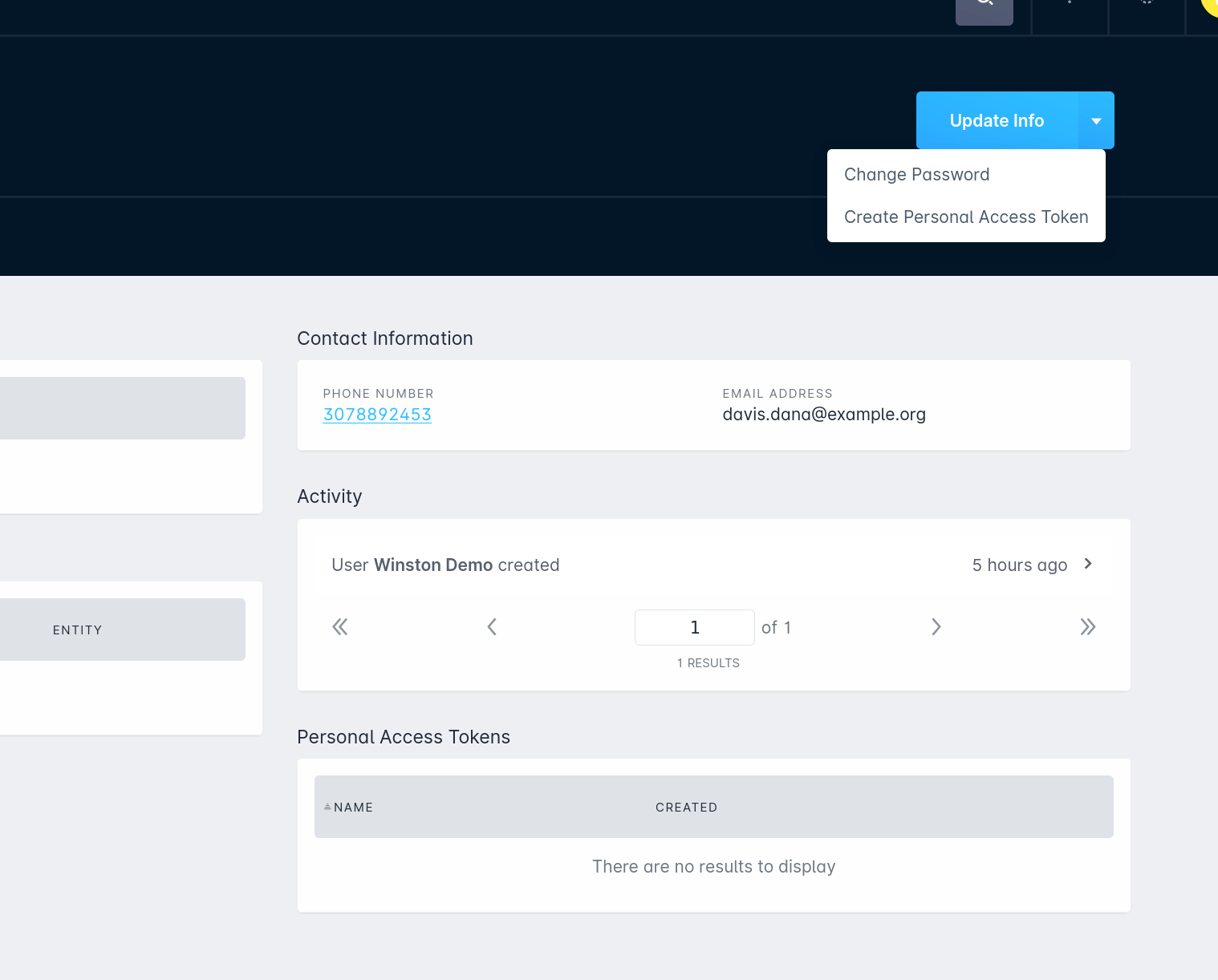
This will generate a very long unique token for you that you'll only be able to see once, so make sure you copy it down!
Next, we need to start building up our request. Let's start by making a simple query. I personally like to use heredoc syntax to write out my query.
Copy to Clipboard <?php require(__DIR__ . '/vendor/autoload.php'); $query = <<<GQL query MyCoolQuery { accounts { entities { id name created_at } } } GQL;
Here, I've wrapped my simple query inside heredoc syntax using <<Next, let's setup the Guzzle request to submit this to the Sonar API. I'm going to embed my token right into the code as the variable $token, build up my headers, and submit the query. Even though the query is not valid JSON, we want to submit this as JSON and just treat it as a string. See below.
Copy to Clipboard $token = "YOUR_TOKEN_HERE"; $client = new GuzzleHttp\Client; $response = $client->post('https://example.sonar.software/api/graphql', [ 'headers' => [ 'Authorization' => "Bearer $token", 'Accept' => 'application/json', ], 'json' => [ 'query' => $query ]]);
We're submitting an HTTP POST to /api/graphql at your Sonar URL. The two headers to include are an Authorization header where we send the token we created earlier with the prefix Bearer, and we tell the server we want to accept JSON as a response. We then submit JSON to the server as a simple object, where the property is query and the value is our query. Let's see what we get back by decoding the response and just printing it out to the screen.
Copy to Clipboard $decodedResponse = json_decode($response->getBody()->getContents(), false, JSON_PRETTY_PRINT);print_r($decodedResponse);
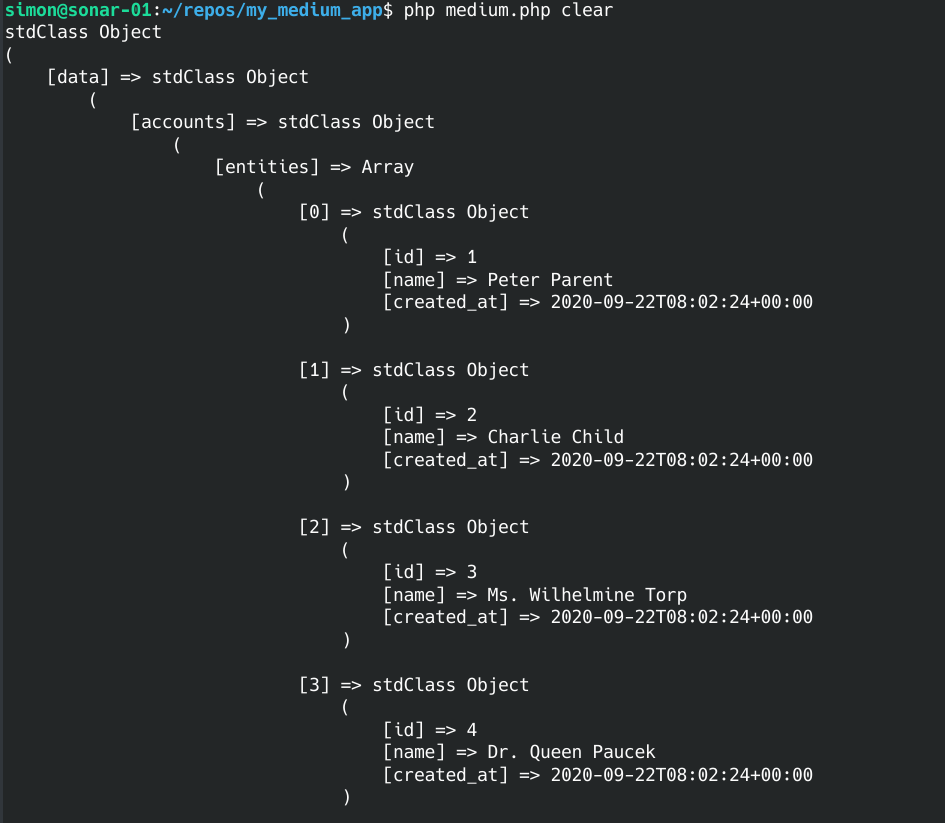
As you can see, we get this back in the same format I showed previously using GraphiQL. The top level property is data, followed by the query name of accounts, and then the fields we requested.
Passing search variables to filter results
Next, let's submit some inputs here - rather than just getting all accounts, I'd like to submit a search object to get back accounts named Peter, like I did in an earlier article on the Sonar API with Raphael.
First, let's build up the search object in the same manner as we did previously. This time, we're just going to build it as an array in PHP. Here's the example from the last article:
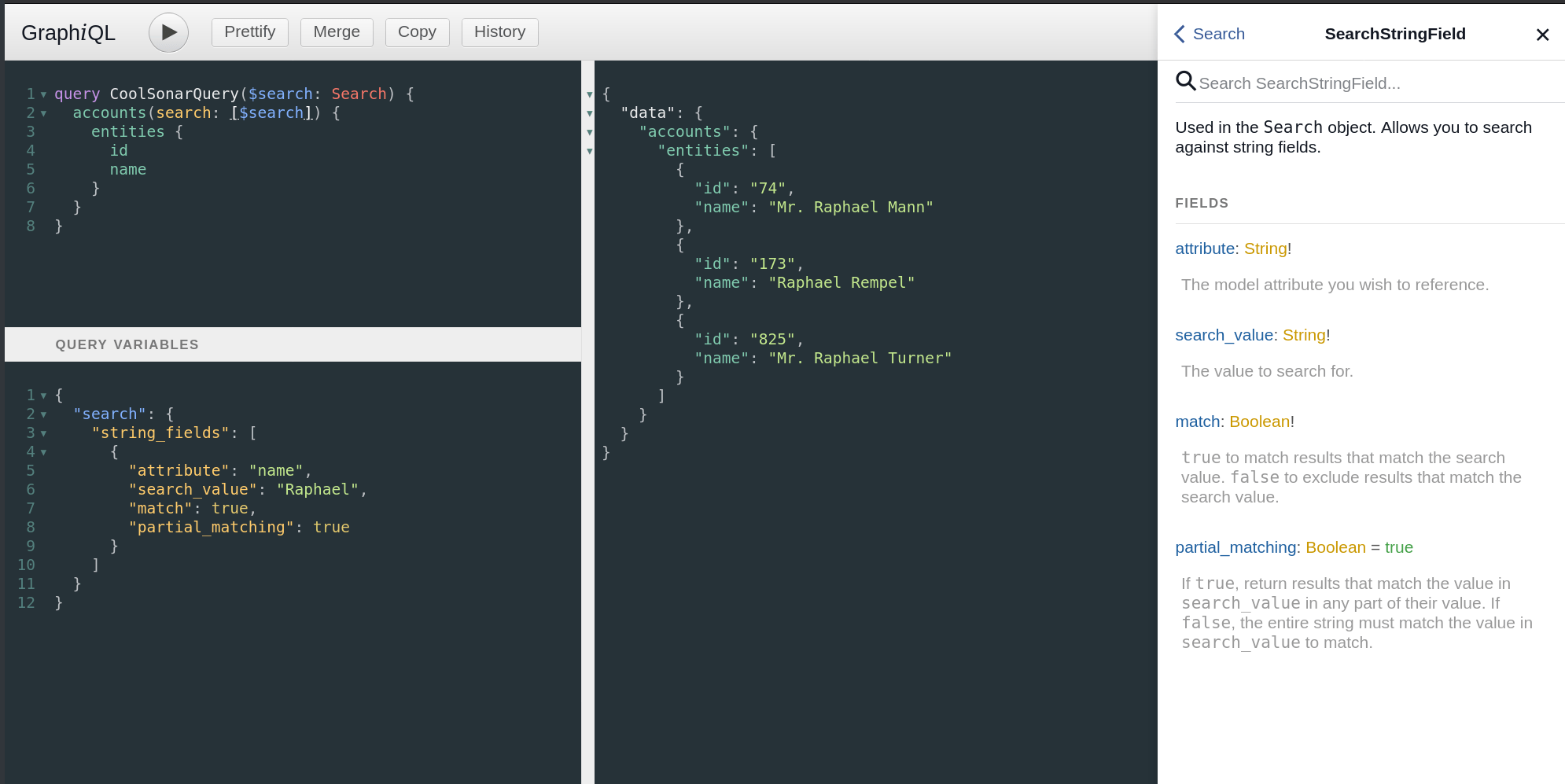
To build this up in PHP, we'll do the following.
Copy to Clipboard $variables = [ 'search' => [ 'string_fields' => [ [ 'attribute' => 'name', 'search_value' => 'Peter', 'match' => true, 'partial_matching' => true ] ] ]];
Next, we need to add this to our Guzzle request. To submit variables, we just add another property into the body named variables.
Copy to Clipboard $client = new GuzzleHttp\Client; $response = $client->post('https://example.sonar.software/api/graphql', [ 'headers' => [ 'Authorization' => "Bearer $token", 'Accept' => 'application/json' ], 'json' => [ 'query' => $query, 'variables' => $variables ] ]);
Lastly, we need to update the query to make use of the variables. Note that I'm escaping the $ character here, as if we don't, PHP will interpret it as a variable reference. We could also convert to using nowdoc syntax instead.
Copy to Clipboard $query = <<<GQLquery MyCoolQuery(\$search: Search) { accounts(search: [\$search]) { entities { id name created_at } } } GQL;
Finally, let's run our script again by executing php medium.php.
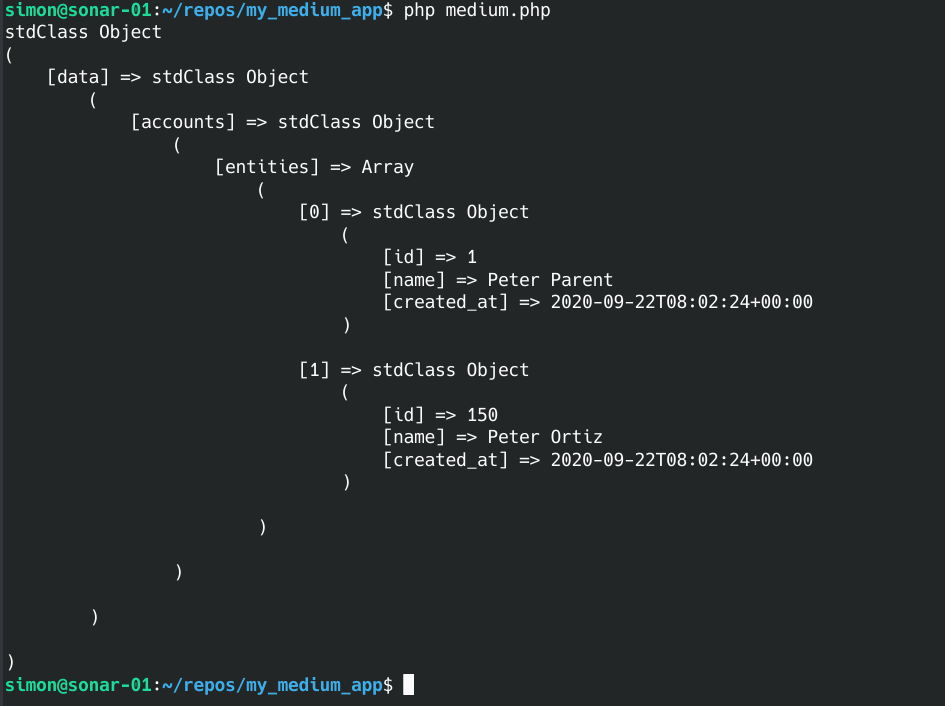
As you can see, our search object was applied, and we only got back accounts that have Peter in the name property.
Hopefully this is enough to get you started building integrations on top of Sonar Software's GraphQL API! Share what you build - I'd love to hear about it.
Frequently asked questions
What HTTP method does the Sonar GraphQL API use?
The only HTTP verb you need is POST. The API is served over HTTPS, and both queries and mutations are submitted as a POST that returns JSON.
How do I authenticate a request to the Sonar API?
Generate a Personal Access Token inside Sonar from your profile page, then send it in an `Authorization: Bearer` header along with an `Accept: application/json` header. The token is only shown once, so copy it down when you create it.
Can I use a language other than PHP?
Yes. This walkthrough uses PHP and Guzzle, but the concepts apply to almost any language - all you need is a way to make an HTTP request and parse JSON.
Questions, answered.
How do you consume the Sonar GraphQL API from an external application?
Using the Sonar GraphQL API in an external application is simple. It is served over HTTPS, and the only HTTP verb you need to use is POST.
What endpoint and headers does the Sonar GraphQL API require?
API requests go to /api/graphql at your Sonar URL. Each request needs an Authorization: Bearer token header and an Accept: application/json header.
How do you authenticate a request to the Sonar API?
You authenticate with a Personal Access Token generated inside Sonar, which is only shown once. That token is then passed in the request as an Authorization: Bearer header.
How are queries and inputs sent to the Sonar GraphQL API?
The query is submitted as JSON with a query property, and inputs are passed through a separate variables property. In GraphQL, a query always fetches data and a mutation always manipulates data, unlike REST where the HTTP verb dictates behavior.
See it on the platform
20 minutes wired to your operation.
An ISP-only specialist walks Sonar through your specific use case. No generic deck, no horizontal SaaS pitch.
Book a meeting