
Operations
How to Boost NOC Efficiency for ISPs with Network Automation
As networks grow more complex, they become difficult to manage. A lack of collaboration across teams creates a greater need for better visibility
August 3, 2022 · 5 MIN · UPD JUN 16, 2026
Automation boosts network operations center (NOC) efficiency by letting ISPs detect, document, and resolve network issues faster, with monitoring templates, alerting rotations, and linked tickets replacing manual, error-prone coordination.
It's an undeniable fact that your NOC (Network Operations Center) is the backbone of your ISP. Of course, competitive pricing and positive customer experiences are important, but if the Internet isn't functioning correctly, it will quickly outweigh the other positives of utilizing your services. This is why it's imperative that your NOC team has a means of efficiently identifying and resolving any network issues that arise, or even identifying potential problems before they become impactful to users. The goal of a successful NOC team is not limited to correcting issues, but also being able to make informed decisions regarding where network expansion is necessary and where upgrades may be wasted.
Why NOC automation matters for ISPs
By not introducing automation into your NOC, you expose your network to further risks beyond the pre-existing ones of equipment failure, etc. For example, packet loss may not be quickly identifiable but will certainly be felt by the customer's experience. By creating a Network Monitoring Template in your Sonar instance, you are able to outline the thresholds you deem suitable, which in turn allows you to effectively conclude what service issues are present.
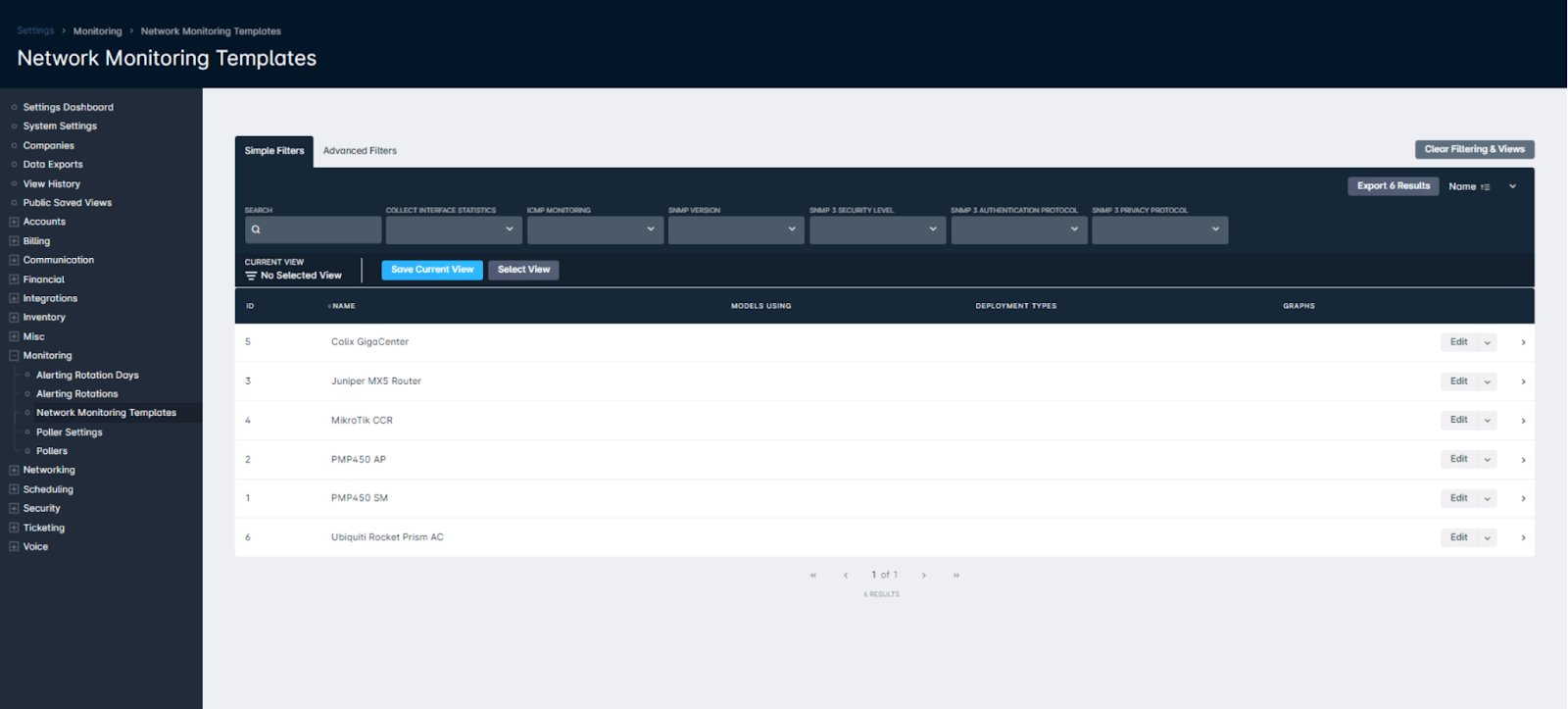
To take this example a step further, if a service issue is intermittent, a Network Monitoring Template provides your NOC team the opportunity to compare historical data with ease. Rather than relying on individuals to remember to check a specific AP at a particular time, and therefore potentially missing an issue in the event of human error, the data is collected automatically and stored within your instance for however long the device exists there. Following the appropriate monitoring configuration, a network technician needs only locate the device in question to determine if there have been any worrisome performance indicators.
Automate alerting with rotations
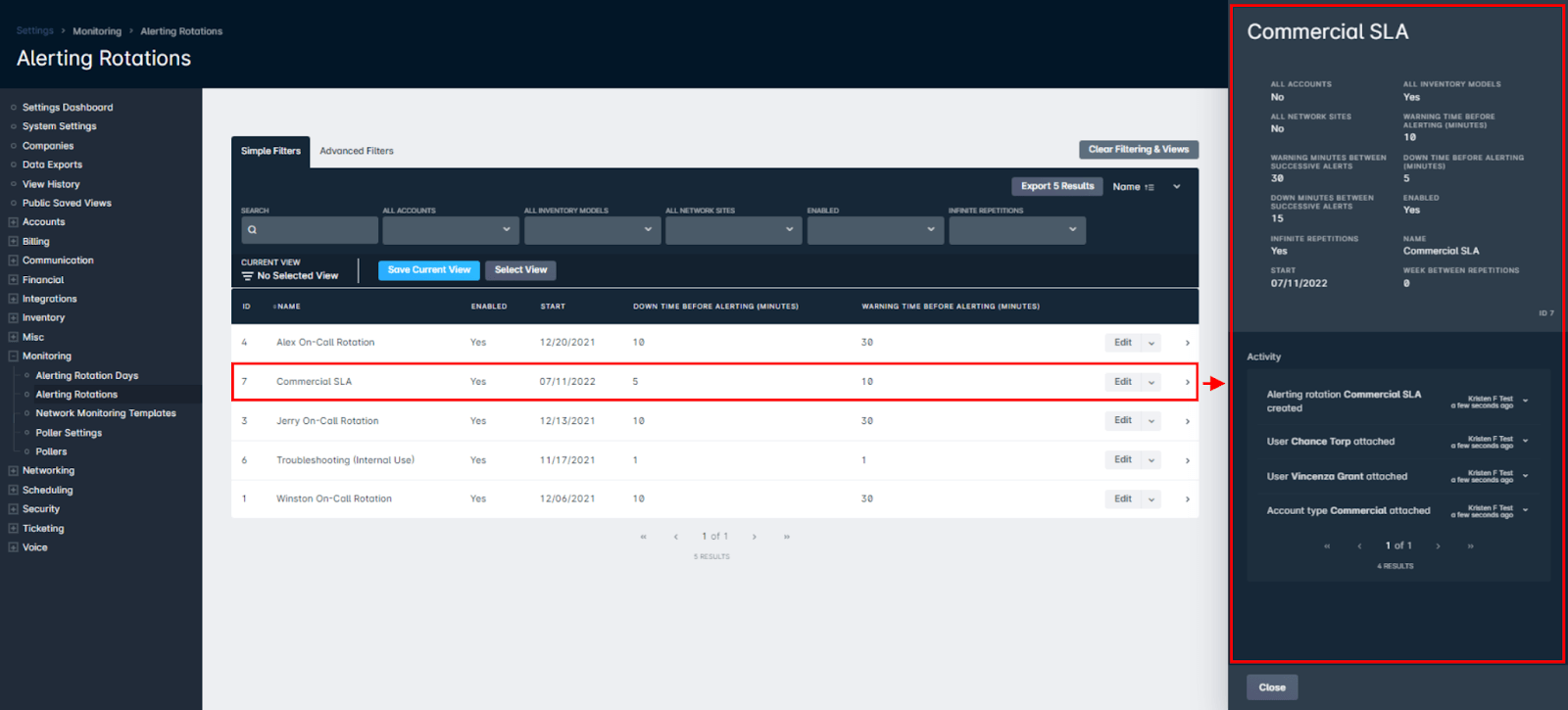
On a similar note, leaving network monitoring up to manual coordination between team members is not ideal. However, this can also be automated within Sonar, and as your business grows it's important that your network operations team have an automated system in place to increase the efficiency of how they identify issues. By creating Alerting Rotations in your instance, you're able to customize which devices trigger alerts and who to notify. Having the ability to tailor this to meet your NOC expectations means that this feature can be adopted for needs ranging from meeting SLAs to organizing out-of-hours network monitoring.
Documentation and ticketing to avoid duplicate work
Another key element to a successful NOC is documentation. While this may not seem as necessary as other areas already touched on, the fact is that without proper communication, you may leave your organization open to replicating troubleshooting actions that only extend the time taken to resolve the issue. A key part of Sonar is our ticketing module; tickets can be attached to network sites and used to accurately document and track a problem from the first alert right through to the deployment of a network technician to the site. In the event of an issue, network technicians can check for tickets to determine if exhaustive measures have already been taken, which allows them to effectively pivot their efforts and avoid needless, repetitive actions already attempted.
An additional use of Sonar's ticketing system is the introduction of parent/child tickets. Customers are quick to alert support to less than satisfactory service, and an influx of tickets originating from the same area of the network is an immediate indication of something being wrong. However, directing each and every ticket to your NOC team for individual attention becomes cumbersome, especially if that team is already in the process of troubleshooting that very same issue. To alleviate this problem, Sonar introduced the ability to deem tickets "parent". By linking tickets together with a parent/child relationship, your network operations team only has to concern themselves with updating a single ticket. Through this relationship, they are able to add comments, send replies or even change the status of all attached tickets; along with this freeing up the NOC's time, it also allows your support team to offer updates to customers with existing tickets without having to go digging through network sites to find relevant information.
Identifying outage-impacted customers for credits
As all Internet Service Providers know, not all outages and interruptions can be avoided. Even the best network operations teams can't foresee fiber damage by third parties or protect equipment from freak weather; it's inevitable that they'll happen eventually and while your team may be able to curb the impact, chances are that there'll come a time when compensation is necessary to appease customers. While it's possible to manually comb through network devices and identify which customers were affected, it's not an efficient use of your team's time. With Sonar BI, a report can be generated to identify which customers were impacted to credit them accordingly. This feature allows you to proactively apply credits even if customers have not reached out yet, which significantly improves customer relations.
Frequently asked questions
What is a Network Monitoring Template?
A Network Monitoring Template lets your NOC team outline the performance thresholds you deem suitable so you can effectively conclude what service issues are present. The data is collected automatically and stored within your instance for as long as the device exists there, making intermittent issues easier to spot by comparing historical data.
How do parent/child tickets help during an outage?
When an influx of tickets originates from the same area of the network, you can link them with a parent/child relationship. Your network operations team then only has to update a single parent ticket to add comments, send replies, or change the status of all attached tickets, freeing up NOC time and helping support keep customers informed.
Questions, answered.
How can ISPs improve network operations center (NOC) efficiency with automation?
ISPs can automate routine NOC work using tools like network monitoring templates, alerting rotations, and site-based ticketing. These reduce manual effort and give teams better visibility as networks grow more complex and harder to manage.
What does a network monitoring template do in a NOC?
A network monitoring template lets a NOC team set performance thresholds for devices. It then automatically collects and stores historical data for each device, so the team has a record to reference over time.
How do alerting rotations help automate network monitoring?
Alerting rotations let an ISP customize which devices trigger alerts and who gets notified. This supports needs ranging from SLA requirements to out-of-hours monitoring, so the right people are alerted at the right time.
How do parent and child tickets reduce duplicate NOC work during an outage?
Parent and child tickets let the NOC update one ticket to manage many related customer tickets during a single outage. Because ticketing is tied to network sites and documents a problem from first alert through technician dispatch, the team avoids repeating troubleshooting actions.
See it on the platform
20 minutes wired to your operation.
An ISP-only specialist walks Sonar through your specific use case. No generic deck, no horizontal SaaS pitch.
Book a meeting