Operations
Field Technician Scheduling for ISPs: Challenges and Best Practices
Field technicians that are overworked due to inefficient scheduling have a cascading effect on revenue, service call costs
January 14, 2022 · 6 MIN · UPD JUN 16, 2026
Efficient field technician scheduling is the difference between a day full of revenue-producing jobs and one lost to drive time. For ISPs, scheduling technicians means accounting for drive time, stock levels, and job length, then clustering work geographically so dispatch can fit in more installs and upgrades.
Scheduling field technicians is unlike scheduling a member of your office staff; it comes with considerations of drive time, stock levels, and the length of time a job will take, amongst a number of other nuances. Without being mindful of the time taken for a technician to drive between appointments, you risk losing space in their day that could otherwise be used on revenue-producing jobs such as Installations and Technology Upgrades.
Why ISP technician scheduling is so hard to control
In an ideal scenario, jobs would line up perfectly in a technician's day to avoid them driving in circles. Unfortunately, there is a limit to the control we have when it comes to booking appointments. Potential customers may not be able to accept an installation on one date, or may even request a specific day of the week. Similarly, active customers could require a service appointment due to anything from a cut cable to severe weather pointing their subscriber module out of alignment; neither scenario is something that we're able to anticipate and proactively plan for. The best preventative measures to take here are to ensure there is adequate space for a variety of jobs in a technician's day, thereby allowing you to take advantage of their different geographical locations per day.
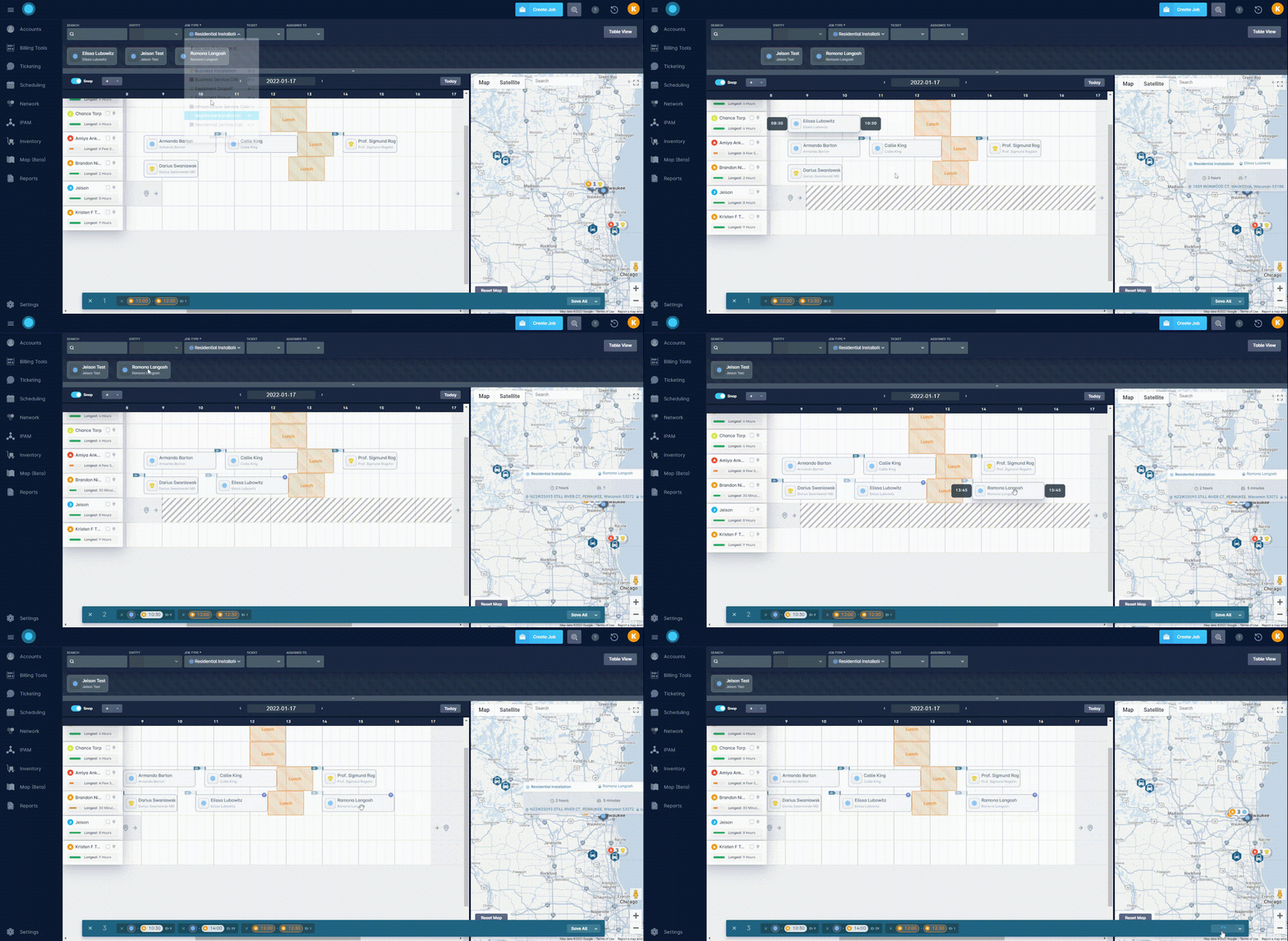
For example, if Jason is limited to only Residential Installations and the only ones booked that day are spread throughout 3 different cities, then he's going to spend a chunk of his day driving between them. Whereas if Jason were able to take on both installations and service visits, then he could focus on jobs in city A, while Matthew takes the jobs in city B and Jeff takes the remaining jobs in city B. Replacing 3 hours of drive time in Jason's day with a handful of 10-minute drives means that he's able to fit in an additional revenue-producing job such as a Technology Upgrade; this will provide the customer the opportunity to receive improved speeds following a change in data service.
Best practice: book arrival windows, not exact times
Another way to ensure flexibility in your schedule is to avoid booking specific times with customers. Rather than booking an installation for 10 AM, instead offer a window of 8 AM-12 PM. This way, you're able to move the job earlier or later in the morning to better accommodate additional jobs in a field technician's day. You could even take this one step further and refrain from offering a window at all and simply tell customers that their job is booked for the 28th; this way your dispatch team can continue to adjust the order of jobs as the calendar fills to ensure they're making the most out of the day.
Give technicians a real-time link with the Field Tech Mobile App
Poorly planned drive times aren't the only potential way to eat up useful time though. Having field technicians rely on other members of staff can also add unnecessary minutes to an otherwise simple visit. To lessen the potential of this happening, field technicians need a way to access the same ecosystem as in-house staff. This is why we created the Field Tech Mobile App; our app provides fingertip access to job details, customer account information, and much more. With the app providing a real-time link to your instance, your dispatch team will no longer have to chase down a technician via phone calls and emails in the event of a cancellation or changes in a job as the tech will be able to view the same changes, all via the app.
Additional benefits of the Field Tech Mobile App include:
Services are able to be added and removed in-app, meaning that technicians are able to complete installations and package upgrades without having to reach out to a member of the Sales or Customer Service team for their assistance. Aside from the clear improved efficiency, the customer's experience with your company will improve tenfold knowing that the person sent to assist them can truly do that on all levels.
Payment information can be updated on the fly, and technicians can process payments while still on-site; this helps avoid a scenario of your billing team attempting to charge a payment method after a job has been completed and having it decline.
Inventory items can easily be assigned to customer accounts, as well as infrastructure, with the in-app barcode scanner. In tandem, network information can be updated to track important items such as IPs and Radius Account information.
Track and improve field technician performance with Sonar BI
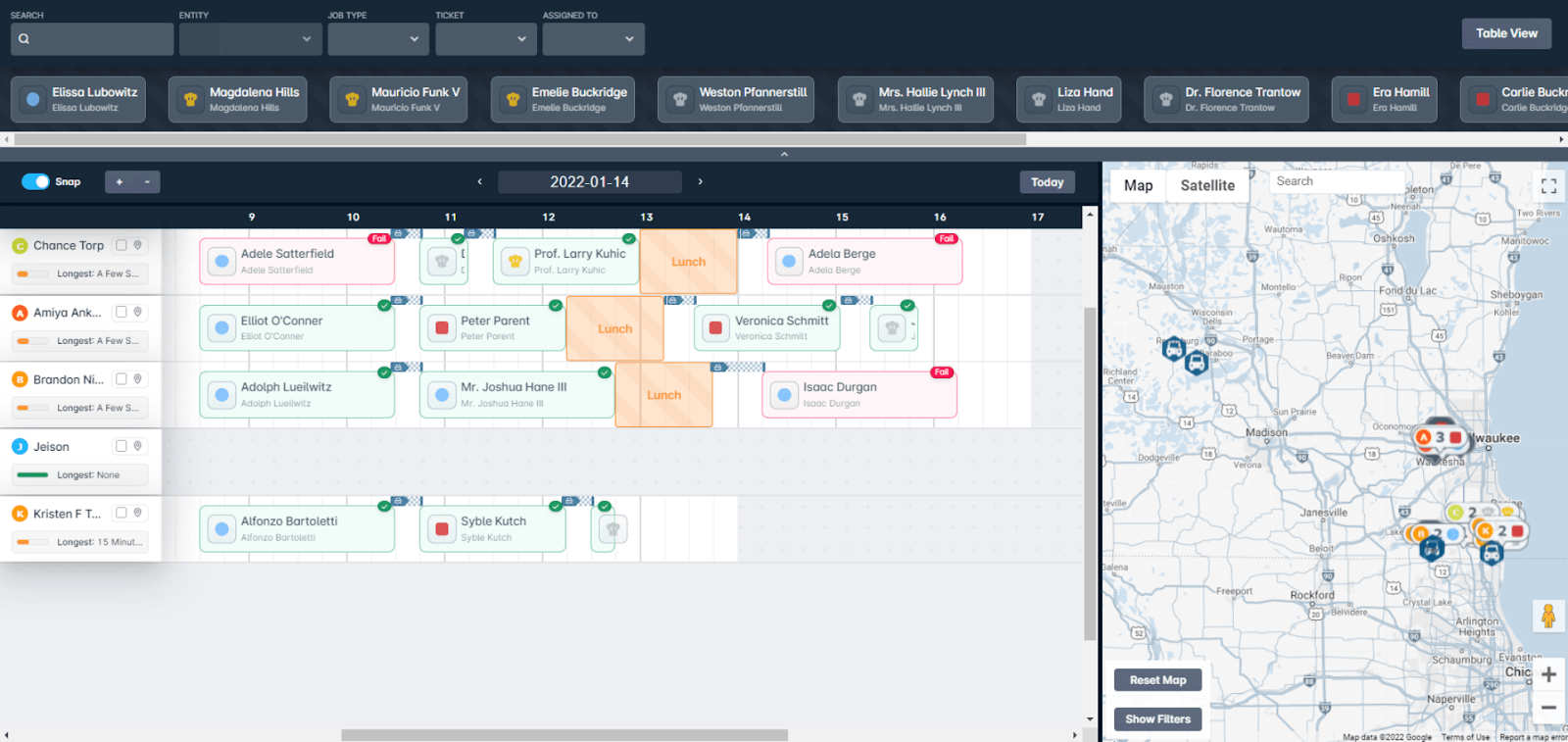
While we've discussed the best ways to improve a field technician's day, there's also the matter of tracking and improving the department as a whole. With a glance at the scheduling feature in Sonar, you're able to see which jobs were successfully completed and which ones were not.
But taking this a step further and digging into trends over a period of time provides a much clearer picture of how the department is functioning. With Sonar BI, you can create a report that automatically keeps track of the success rate, as well as the actual length of time a job took vs the estimated time. With this information on hand, you're able to determine the strengths and weaknesses of a field technician. For example, perhaps Jason is frequently taking upwards of 3 hours to complete a Residential Installation but the rest of the department is able to do this in less than 2 hours; this would indicate that Jason may benefit from additional hands-on training from a more experienced technician. The same can be said if you notice one technician has a higher failure rate than the departmental average; the report will provide a list of failed jobs so that you can determine whether the issue is coincidental bookings in poor serviceable areas, or if a technician is in fact struggling to get a serviceable wireless signal in an area where we already service the majority of homes. The latter would again indicate an opportunity for retraining.
To learn more about how our Field Tech Mobile App can benefit your company, check out our Field Tech App article, along with our Sonar Cast video. And for an in-depth look at our scheduling feature, including how to create schedules in your instance, take a look at our Jobs and Scheduling Overview article and Setting Up Schedules article.
Frequently asked questions
How can ISPs reduce technician drive time between appointments?
Allow technicians to take on a mix of installations and service visits, then cluster jobs by geography so dispatch can replace long cross-city drives with a handful of short ones. This frees up space for an additional revenue-producing job, such as a technology upgrade.
Should ISPs book exact appointment times or arrival windows?
Offering an arrival window like 8 AM to 12 PM, or simply booking a job for a given date, gives dispatch the flexibility to reorder jobs as the calendar fills and make the most of each technician's day.
How does Sonar help ISPs measure field technician performance?
With Sonar BI, you can build a report that tracks job success rate and actual versus estimated job time, helping you spot technicians who may benefit from additional training or identify serviceability issues in specific areas.
Questions, answered.
Why is scheduling field technicians harder than scheduling office staff at an ISP?
Field technician scheduling has to account for drive time, stock levels, and job length, which office staff scheduling does not. These variables make each technician's day harder to plan and fill.
How can ISPs reduce technician drive time between appointments?
Letting technicians handle both installations and service visits gives dispatch the ability to cluster jobs geographically. Grouping nearby work this way can cut hours of drive time.
Should ISPs book specific appointment times or arrival windows?
Booking arrival windows or job dates instead of specific times gives dispatch the flexibility to reorder jobs. That flexibility lets them fit more work into a single day.
How does the Sonar Field Tech Mobile App improve technician efficiency?
The Sonar Field Tech Mobile App gives technicians real-time, in-app access to job details, customer accounts, payments, and inventory scanning. Having this information in one place keeps technicians moving through their work without leaving the field.
See it on the platform
20 minutes wired to your operation.
An ISP-only specialist walks Sonar through your specific use case. No generic deck, no horizontal SaaS pitch.
Book a meeting